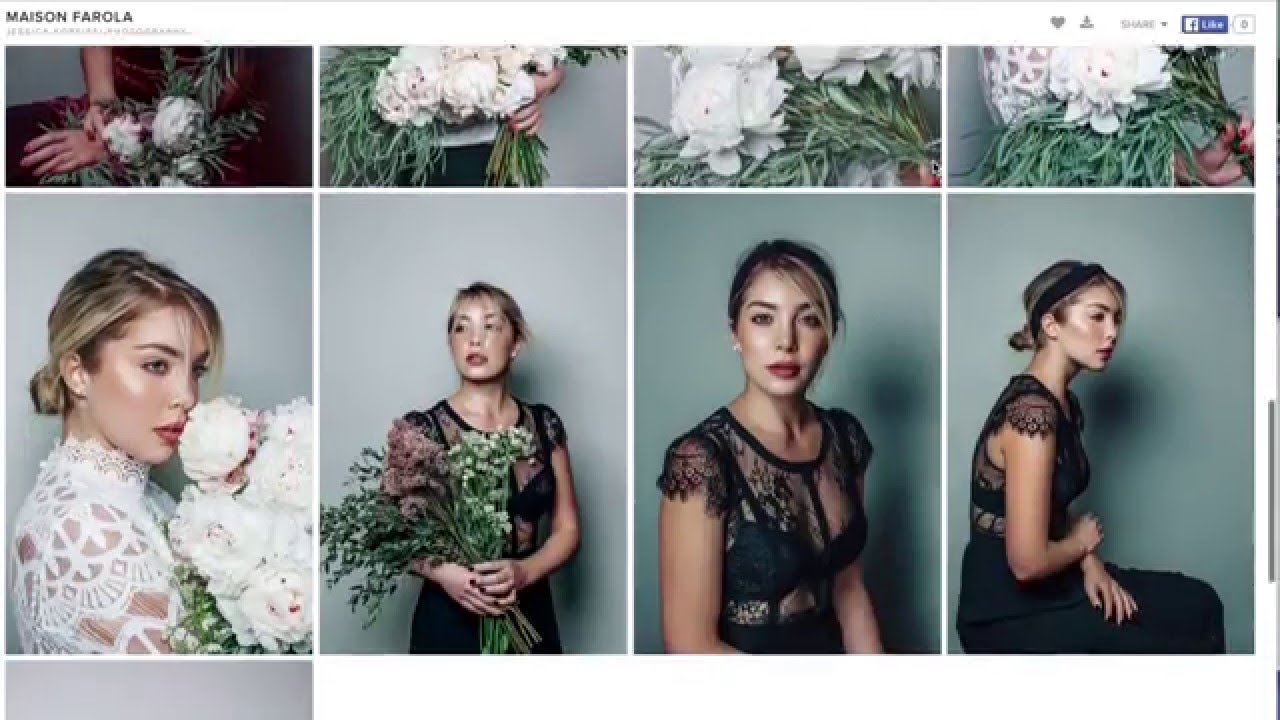
There is a particular kind of stress that only photographers understand: it’s 11pm, you’ve just uploaded a full session to Dropbox, and you’re already bracing for the client email that says “it’s not letting me download.” I ran my delivery workflow through Dropbox for longer than I care to admit, and the problems were always the same. Storage limits creeping up on me, clients confused by the interface, and me spending more time troubleshooting file transfers than actually editing photos. When I found Jessica Kobeissi’s tutorial on Pixie Set, I recognized every frustration she described within the first 30 seconds.
Watch the full tutorial on YouTube
In this Jessica Kobeissi tutorial, she walks through why she abandoned Dropbox entirely in favor of Pixie Set, an online gallery platform built specifically for photographers. What makes her breakdown useful is that she’s not reviewing features from a spec sheet. She’s talking about the real operational headaches that disappear once you switch. This article unpacks her process step by step so you can evaluate whether Pixie Set makes sense for your studio, and set it up with confidence if it does.
Step 1: Recognize the Real Cost of a Clunky Delivery System
 Jessica describing Dropbox storage and client download problems
Before you evaluate any tool, you need to be honest about what your current system is costing you. Kobeissi’s turning point was realizing that Dropbox, while functional for general file sharing, was never designed with photographers or their clients in mind. Storage caps meant she was constantly deleting files. Clients hit download errors. Every gallery delivery came with a side of troubleshooting.
Jessica describing Dropbox storage and client download problems
Before you evaluate any tool, you need to be honest about what your current system is costing you. Kobeissi’s turning point was realizing that Dropbox, while functional for general file sharing, was never designed with photographers or their clients in mind. Storage caps meant she was constantly deleting files. Clients hit download errors. Every gallery delivery came with a side of troubleshooting.
The hidden cost here isn’t just time. It’s perception. When a client struggles to access their photos, that friction sticks to your brand. My own 47-item client experience checklist exists because I learned that the delivery moment is one of the highest-stakes touchpoints in the entire relationship. A seamless gallery says you are a professional. A broken Dropbox link says something else entirely.
Step 2: Understand What Pixie Set Actually Is
 Jessica explaining Pixie Set as an online gallery platform for photographers
Pixie Set is a dedicated online gallery hosting platform designed for photographers delivering work to clients. Unlike general cloud storage, it’s built around the concept of a branded, beautiful gallery experience. Your client receives a link, lands on a clean visual gallery, and can download their images with a single click. No account creation required on their end, no storage warnings, no confusion.
Jessica explaining Pixie Set as an online gallery platform for photographers
Pixie Set is a dedicated online gallery hosting platform designed for photographers delivering work to clients. Unlike general cloud storage, it’s built around the concept of a branded, beautiful gallery experience. Your client receives a link, lands on a clean visual gallery, and can download their images with a single click. No account creation required on their end, no storage warnings, no confusion.
The platform sits in a different category than Dropbox or Google Drive. Those tools are built for document storage and sharing across teams. Pixie Set is a client-facing product. That distinction matters when you’re trying to make a strong impression at the finish line of a shoot.
Step 3: Evaluate the Pricing Against Your Current Overhead
 Jessica mentioning the $100 per year pricing and immediate purchase decision
Kobeissi mentions that she bought a full year of Pixie Set almost immediately, which tells you something about the value-to-cost ratio. At the time of her video, the plan she used ran around $100 per year and included approximately 10GB of hosting. For most portrait photographers delivering web-resolution proofing galleries, that storage goes a long way.
Jessica mentioning the $100 per year pricing and immediate purchase decision
Kobeissi mentions that she bought a full year of Pixie Set almost immediately, which tells you something about the value-to-cost ratio. At the time of her video, the plan she used ran around $100 per year and included approximately 10GB of hosting. For most portrait photographers delivering web-resolution proofing galleries, that storage goes a long way.
Run this against what you’re currently spending on patchwork solutions. If you’re paying for Dropbox, resizing images manually before upload, and still fielding support emails from clients who can’t download, your real cost is much higher than whatever line item sits in your software budget. I track my studio expenses in a spreadsheet my accountant husband built me, and when I did this comparison, the math was embarrassingly clear.
Step 4: Set Up Your First Client Gallery
 Jessica describing sending clients a link to view their proofed photos
The setup process in Pixie Set is straightforward enough that Kobeissi says she had the platform figured out within about ten minutes of signing up. You create a gallery, upload your images, and the platform generates a shareable link. You can also send branded invitations directly through the platform, which arrive looking designed rather than like a plain file-share notification.
Jessica describing sending clients a link to view their proofed photos
The setup process in Pixie Set is straightforward enough that Kobeissi says she had the platform figured out within about ten minutes of signing up. You create a gallery, upload your images, and the platform generates a shareable link. You can also send branded invitations directly through the platform, which arrive looking designed rather than like a plain file-share notification.
For your first gallery, upload a test set of images from a recent session. Walk through the client experience yourself by opening the link in an incognito browser window. Check how the images display, how the download button behaves, and how long load times feel on a standard connection. This is the experience your client will have, and you want to know exactly what you’re handing them before it goes live.
Step 5: Replace Your Old Delivery Step With the New One
 Jessica explaining the workflow shift away from Dropbox resizing and uploading
One of the practical gains Kobeissi highlights is how much prep work disappears. With Dropbox, she was resizing images before upload to manage storage, then generating links, then waiting to see if clients could actually access them. Pixie Set condenses that into a direct upload and a single shareable link.
Jessica explaining the workflow shift away from Dropbox resizing and uploading
One of the practical gains Kobeissi highlights is how much prep work disappears. With Dropbox, she was resizing images before upload to manage storage, then generating links, then waiting to see if clients could actually access them. Pixie Set condenses that into a direct upload and a single shareable link.
Update your post-production workflow so that gallery delivery is its own discrete step. After culling and editing, upload finals directly to Pixie Set rather than routing through any intermediate folder system. Build the gallery link generation into your client communication template so it feels automatic. The fewer manual decisions in your delivery process, the less likely something falls through a crack.
Step 6: Avoid the WordPress Rabbit Hole for Gallery Hosting
 Jessica describing failed attempts with WordPress gallery templates
Kobeissi briefly mentions the WordPress route that many photographers explore before landing on a dedicated solution. Custom WordPress gallery plugins can work, but they require maintenance, updates, and a baseline of technical knowledge that most photographers don’t want to develop. She describes discovering that one of her WordPress templates had been hacked and her layout had collapsed, which is a risk that comes with self-hosted solutions.
Jessica describing failed attempts with WordPress gallery templates
Kobeissi briefly mentions the WordPress route that many photographers explore before landing on a dedicated solution. Custom WordPress gallery plugins can work, but they require maintenance, updates, and a baseline of technical knowledge that most photographers don’t want to develop. She describes discovering that one of her WordPress templates had been hacked and her layout had collapsed, which is a risk that comes with self-hosted solutions.
Purpose-built platforms like Pixie Set handle the infrastructure. Security, uptime, and software updates are someone else’s problem. Unless you have a specific reason to need the customization that WordPress offers, the tradeoff rarely makes sense for a working photographer managing a full client load.
What I’d Add From Running a Portrait Studio
Pixie Set handles the delivery side beautifully, but delivery is only one piece of the client experience. Once I moved my galleries onto a dedicated platform, I realized my weak point had shifted upstream to how I was communicating with clients between the shoot and the gallery reveal. The gallery link landing in someone’s inbox carries more weight when you’ve been intentional about the days leading up to it. I now send a brief heads-up email 24 hours before the gallery goes live, which has almost eliminated the “I haven’t had a chance to look yet” delay on client feedback. The tool is only as good as the process wrapped around it.
The single most important shift Kobeissi’s tutorial points to is this: when your delivery system looks professional, clients feel like they hired a professional. Everything downstream, from referrals to repeat bookings, runs through that impression. Pixie Set isn’t a luxury add-on. For portrait and commercial photographers, it’s closer to a baseline requirement for running a credible studio.
Watch the full tutorial on YouTube to hear Kobeissi walk through her experience in her own words, including the specific moment she knew Dropbox had to go.
Comments (3)
Bookmarked. Coming back to this one for sure.
This should be required reading for anyone starting out.
Well explained. I think my audience would really benefit from this — mind if I link to it?
Leave a Comment